Dodge Pro — Free Download
Dodge Pro is a multiband volume shaping plugin for sidechain ducking, trance gates, rhythmic motifs, and special effects, controlled via an advanced line editor and MIDI triggers.
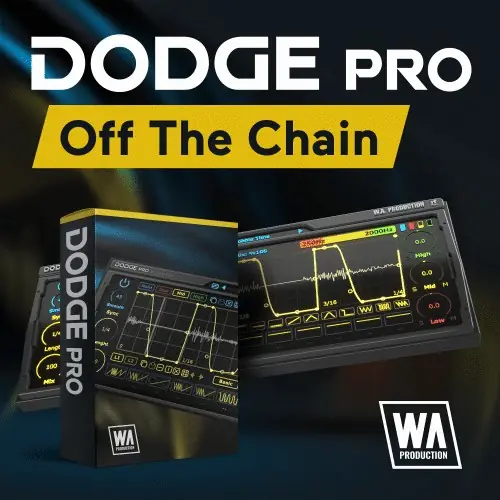
Purpose
Dodge Pro is a volume shaping effect designed to replace standard sidechain compression with flexible, drawable amplitude automation. It goes beyond simple ducking to include gated rhythms and special FX patterns, useful across genres that rely on rhythmic pumping. The plugin processes audio in three independent frequency bands, so you can apply different volume shapes to lows, mids, and highs separately.
Each band and the master volume have dedicated automation lines that respond to a point-and-drag node system. With numerous presets covering sidechain ducking, trance gates, arps, and FX, and the ability to draw custom shapes, it suits both quick setups and detailed creative work.
Key Capabilities
The advanced line editor lets you click to add nodes and drag to bend curves, with single, double, pulse, wave, saw, and step shapes. A second automation layer can be drawn per band and summed with the primary line to stack complexity. The plugin supports three adjustable EQ bands, defined by dragging crossover points on the band graphic, and each band has separate volume, shape, sync, length, and mix controls.
Up to twelve MIDI scenes can be programmed and switched live via external triggers, making it ideal for live performance and track variation. Randomization of scene or band automation adds unexpected movement, while visual feedback shows the processed waveform and live ducking via mini-meters.
Workflow
Start with one of the factory presets for a basic ducking or gate shape, then tweak the automation lines to fit your track. For a classic sidechain effect on a bassline, set the low band to duck in sync with the kick; for a trance gate on a pad, apply rhythmic shapes to the full range. You can also isolate a single frequency band, like making only the low end pump while leaving mids untouched.
Use the MIDI scene feature to switch between different shapes in a live set or to add breakdowns. The smooth bypass and master mix control allow A/B testing and adjusting the wet/dry ratio for subtle or dramatic results. Copy and paste lines and scenes to speed up programming.
Practical Applications
Dodge Pro is best for producers who need precise control over sidechain ducking in EDM, house, or techno, but it also suits sound designers creating rhythmic textures. Multiband operation enables creative tricks like gating only the hi-hats or ducking the sub-bass independently. For live performers, MIDI-triggered scene switching provides dynamic arrangement control.
Because it can generate complex, evolving volume patterns, it serves as a source of rhythmic inspiration. The randomization feature is useful for exploring new motifs. The plugin is a practical addition to a mixing setup for adding movement to static elements.
Key features
- Multiband volume shaping with three independent EQ bands
- Advanced line editor with multiple curve types and dual-layer automation
- MIDI-triggered scene switching for up to twelve scenes
- Factory presets for ducking, gates, arps, and FX
- Randomization of automation for creative variation
- Smooth bypass and master mix control for subtle effects
- Visual waveform display and mini-meters
Best for
Best for producers and sound designers who want creative, multiband volume automation beyond basic sidechain ducking, especially in electronic music, and for live performers needing MIDI-controllable rhythmic effects.





